
ContX IQ: Check Resource Availability Using OPTIONAL MATCH and CASE Expression
This example demonstrates OPTIONAL MATCH with CASE expressions:
What is OPTIONAL MATCH?
Unlike regular MATCH, OPTIONAL MATCH continues query execution even when no match is found (returns null instead of failing).
What is CASE expression?
Conditional logic in Cypher that returns different values based on conditions.
Combined pattern:
OPTIONAL MATCH (tenant:Tenant)-[:HAS]->(prop {type: "subdomain", value: $subdomain})
RETURN CASE WHEN tenant IS NULL THEN true ELSE false END AS is_available
Use case: Check if a subdomain is available (not already registered).
Use case
Scenario: Before registering a new tenant subdomain, check if it's already taken.
Graph structure:
Tenant(Acme) -[HAS]-> Property(type: "subdomain", value: "acme.example.com")
Tenant(Beta) -[HAS]-> Property(type: "subdomain", value: "beta.example.com")
Query input: $subdomain = "newsite.example.com"
Query flow:
1. _Application authenticates (using $_appId auto-filter)
2. OPTIONAL MATCH searches for Tenant with matching subdomain property
3. No match found -> tenant = null
4. CASE evaluates: tenant IS NULL -> return true (available)
5. Result: {is_subdomain_available: true}
If subdomain existed:
- Input: $subdomain = "acme.example.com"
- Tenant(Acme) matched
- CASE evaluates: tenant IS NOT NULL -> return false
- Result: {is_subdomain_available: false}
Key concept: _Application as subject:
- Uses $_appId filter (auto-populated with Application's external_id)
- No user token required - service-to-service pattern
Requirements
Prerequisites:
- ServiceAccount credentials: For creating policies and queries (Bearer token)
- AppAgent credentials: For data ingestion and query execution (X-IK-ClientKey)
_Application as subject:
- $_appId is automatically populated when using Application credentials
- No user authentication needed for this pattern
Required API access:
- POST /capture/v1/nodes/ (capture Tenant and Property nodes)
- POST /configs/v1/authorization-policies (create policy)
- POST /configs/v1/knowledge-queries (create query)
- POST /contx-iq/v1/execute (run availability check)
Steps
Step 1: Ingest Tenant and Property Nodes
- Authentication: AppAgent credential (X-IK-ClientKey header)
- Action: POST Tenant nodes with subdomain Property nodes
- Result: Graph with existing subdomains registered
Step 2: Create Availability Check Policy
- Authentication: ServiceAccount credential (Bearer token)
- Action: POST policy with:
- Subject filter: $_appId (auto-populated for _Application)
- Aggregation permission for CASE expression results
- Result: Policy ID returned
Step 3: Create Availability Check Query
- Authentication: ServiceAccount credential (Bearer token)
- Action: POST query using:
- OPTIONAL MATCH to find existing subdomain (may return null)
- CASE expression to convert match/no-match to boolean
- Parameter: $subdomain for the subdomain to check
- Result: Query ID returned
Step 4: Execute Availability Check
- Authentication: AppAgent credential (X-IK-ClientKey header)
- Action: POST to /contx-iq/v1/execute with subdomain parameter
- Result: {is_subdomain_available: true/false}
Step 1
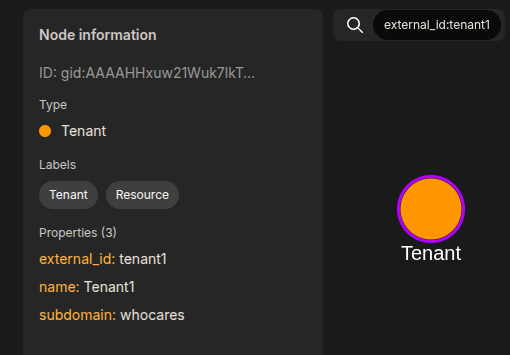
Capture the nodes needed for this use case.
{
  "nodes": [
    {
      "external_id": "tenant1",
      "is_identity": false,
      "type": "Tenant",
      "properties": [
        {
          "type": "name",
          "value": "Tenant1"
        },
        {
          "type": "subdomain",
          "value": "whocares"
        }
      ]
    },
    {
      "external_id": "tenant2",
      "is_identity": false,
      "type": "Tenant",
      "properties": [
        {
          "type": "name",
          "value": "Tenant2"
        },
        {
          "type": "subdomain",
          "value": "whatabout"
        }
      ]
    },
    {
      "external_id": "tenant3",
      "is_identity": false,
      "type": "Tenant",
      "properties": [
        {
          "type": "name",
          "value": "Tenant3"
        }
      ]
    }
  ]
}
Step 2
Create a CIQ Policy which designates the Subject node, the cypher, and the nodes allowed to be agregated.
{
  "meta": {
    "policy_version": "1.0-ciq"
  },
  "subject": {
    "type": "_Application"
  },
  "condition": {
    "cypher": "MATCH (subject:_Application) WHERE subject.external_id = $_appId WITH subject OPTIONAL MATCH (tenant:Tenant)-[:HAS]->(subdomain:Property) WHERE subdomain.type = 'subdomain' AND subdomain.value = $subdomain WITH subject, CASE tenant WHEN tenant THEN false ELSE true END AS is_subdomain_available",
    "filter": []
  },
  "allowed_reads": {
    "nodes": [
      "subject.*",
      "tenant.*"
    ],
    "aggregate_values": [
      "is_subdomain_available"
    ]
  }
}
Request to create the CIQ Policy configuration using REST.
{
  "project_id": "your_project_gid",
  "description": "description of policy",
  "display_name": "policy name",
  "name": "policy-name",
  "policy": "{\"meta\":{\"policy_version\":\"1.0-ciq\"},\"subject\":{\"type\":\"_Application\"},\"condition\":{\"cypher\":\"MATCH (subject:_Application) WHERE subject.external_id = $_appId WITH subject OPTIONAL MATCH (tenant:Tenant)-[:HAS]->(subdomain:Property) WHERE subdomain.type = 'subdomain' AND subdomain.value = $subdomain WITH subject, CASE tenant WHEN tenant THEN false ELSE true END AS is_subdomain_available\",\"filter\":[]},\"allowed_reads\":{\"nodes\":[\"subject.*\",\"tenant.*\"],\"aggregate_values\":[\"is_subdomain_available\"]}}",
  "status": "ACTIVE",
  "tags": []
}
Request to read the CIQ Policy configuration using REST.
{
  "id": "your_policy_configuration_gid"
}
Step 3
Create a CIQ Query in the context of the policy to retrieve the designated properties.
{
  "aggregate_values": [
    "is_subdomain_available"
  ]
}
Request to create a CIQ Query configuration using REST.
{
  "project_id": "your_project_gid",
  "description": "description of knowledge query",
  "display_name": "knowledge query name",
  "name": "knowledge-query-name",
  "policy_id": "your_policy_gid",
  "query": "{\"aggregate_values\":[\"is_subdomain_available\"]}",
  "status": "ACTIVE"
}
Read the CIQ Query Configuration.
{
  "id": "your_knowledge_query_configuration_gid"
}
Step 4
Run a CIQ Execution to get the designated information.
{
  "id": "knowledge_query_gid",
  "input_params": {
    "subdomain": "whocares"
  },
  "page_token": 1
}
CIQ Execution response.
{
  "data": [
    {
      "aggregate_values": {
        "is_subdomain_available": false
      }
    }
  ]
}API Endpoints
/capture/v1/nodes/capture/v1/relationships/configs/v1/authorization-policies/configs/v1/knowledge-queries/contx-iq/v1/execute