
What is Cypher in ContX IQ?
Cypher is the graph pattern-matching language created for Neo4j. ContX IQ (CIQ) embeds a Neo4j-adapted subset of Cypher inside a policy's condition.cypher field. You use it to describe the contextual subgraph a request is allowed to touch: which nodes, which relationships, and how they connect.
The most important idea to internalize: in CIQ, Cypher only matches context. It does not return, create, or delete data. Reads, writes, and deletes are declared separately in the Knowledge Query and gated by the policy's allowed_reads, allowed_upserts, and allowed_deletes. Cypher names the pieces; the Knowledge Query decides what to do with them.
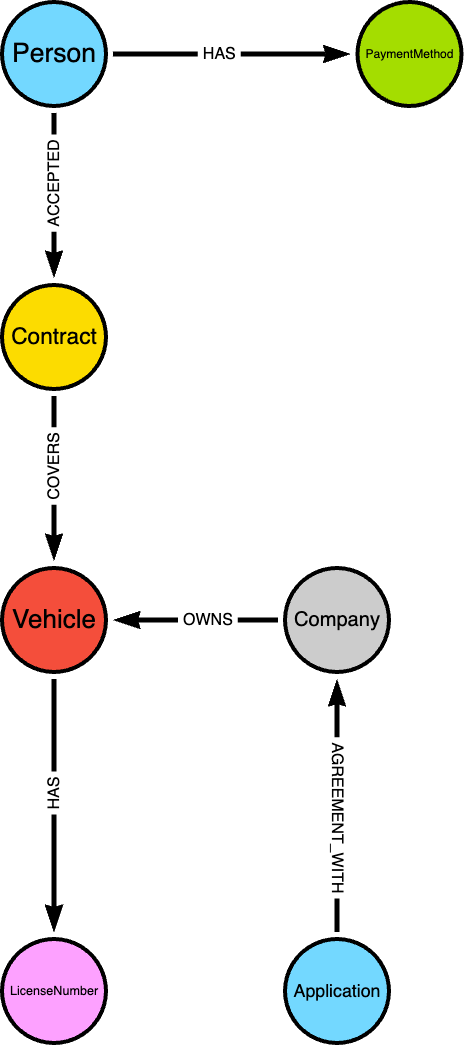
Schema example
This guide assumes you already know the CIQ component model (Policy → Knowledge Query → Execution). If not, read ContX IQ: Context-Aware Data Queries and Policies first. For a gentle introduction to graph traversal and Cypher basics, see Why use a Graph Database?
Where do I write Cypher?
Cypher lives in exactly one place: the condition.cypher string of a policy.
{
	"meta": { "policy_version": "1.0-ciq" },
	"subject": { "type": "Person" },
	"condition": {
		"cypher": "MATCH (subject:Person)-[r:LIKES]->(track:Track)",
		"filter": [ ... ]
	},
	"allowed_reads": { "nodes": ["track.property.title"], "relationships": ["r"] }
}
The Knowledge Query then references the variables you named in the Cypher (subject, track, r) - it never re-declares the pattern.
Which policy version does this cover?
Everything in this guide targets CIQ v1 - policy_version: "1.0-ciq", set in the policy's meta. This is the stable, default dialect and the one you should use.
A v2 dialect - 2.0 (Beta testing only) - is also accepted by the runtime and available on request; it is the engine intended to become the next stable version. v2 is not a new query language. The external API and authentication, the full filter operator set and value types, every Cypher construct in this guide (MATCH / OPTIONAL MATCH / WHERE / WITH, aggregates, variable-length paths, inline $params, trust_score and _Application handling), and the Knowledge Query and execution shapes are all identical to v1. Every example in this guide is valid on both versions.
v2 changes little, in two areas. First, stricter validation when a policy is created - it rejects two patterns that v1 quietly accepted:
- No references to anonymous nodes. Any node referenced from a
filter, anallowed_*list, or the Knowledge Query must be named in the Cypher. Referencing an unnamed node - e.g. the(:Track)inMATCH (subject:Person)-[:LIKES]->(:Track)- is rejected; write(track:Track). (A node always needs a label in both versions; v2 additionally forbids referencing an unnamed one.) - No untyped relationships in writes or deletes. A relationship feeding
allowed_upsertsorallowed_deletesmust declare its type in the Cypher ([r:PLAYED_AT], not bare[r]). An untyped relationship is still fine when used only in reads.
Both rules are good practice on v1 too, so the patterns in this guide already satisfy them - a v1 policy written this way creates unchanged under v2. Second, one filter extension: v2 lets the filter attribute side also be an @ reference (v1 allows that only on the value side). The two dialects can coexist in one project once v2 is enabled.
How is CIQ Cypher different from standard Neo4j Cypher?
CIQ Cypher is the read/traverse core of Cypher, with the result and mutation clauses removed and replaced by declarative JSON. Keep these adaptations in mind:
| Standard Cypher | In CIQ |
RETURN chooses output |
No RETURN. Output is chosen by the Knowledge Query's nodes, relationships, and aggregate_values - and must be allow-listed in policy allowed_reads. |
CREATE / MERGE / SET |
Not written in Cypher. Declared in the Knowledge Query's upsert_nodes / upsert_relationships, gated by policy allowed_upserts. |
DELETE / REMOVE |
Not written in Cypher. Declared in the Knowledge Query's delete_nodes / delete_relationships, gated by policy allowed_deletes. |
| Any node can be a starting point | Exactly one node must be the subject - the variable named subject, with a label matching subject.type. A policy has a single subject type. |
| Anonymous nodes are common | Any node or relationship you reference later must be named (give it a variable). Anonymous parts can only be used as connective glue. |
Parameters are $x bound by the driver |
Parameters are $x placeholders resolved at execution from input_params. $token.* (token claims) and $_appId (application identity) are reserved. |
Filtering via WHERE |
Inline WHERE works, but execution-time parameters and token claims are best expressed in the structured filter array (see below). |
What Cypher syntax is supported?
CIQ supports the pattern-matching and projection core. Treat this as the practical surface; validate edge cases by creating the policy through the Config API (it rejects unsupported or invalid constructs).
| Feature | Example |
MATCH |
MATCH (subject:Person)-[r:LIKES]->(track:Track) |
OPTIONAL MATCH |
OPTIONAL MATCH (subject)-[:CREATED]->(p:Playlist) |
| Multiple comma / multi-clause patterns (cartesian + join) | MATCH (subject:Person), (venue:Venue) |
WHERE with comparisons and boolean logic |
WHERE subject.property.karaoke_confidence >= venue.property.min_confidence |
WITH (projection / pipelining; exposes aggregates) |
WITH subject, COLLECT(track.external_id) AS liked |
| Relationship direction | -[r]-> outgoing, <-[r]- incoming, -[r]- either |
| Relationship type and alternation | [:SUBSCRIBED_TO|CREATED] |
| Variable-length paths (bound the depth - see the timeout note) | [rels:INVOKES*1..5], [:MEMBER_OF*1..3] |
| Inline property maps | (venue:Venue {name: $venue_name}), (cp:Property {type:'role'}) |
| Multiple labels and re-using a bound variable | (n:Label1:Label2); close a loop with an already-bound name, e.g. ...<-[:CREATED]-(subject) |
| Aggregate functions | COUNT(...), COUNT(DISTINCT ...), COLLECT(...), SUM / AVG / MIN / MAX |
| Predicate & list functions | ALL / ANY / NONE, list comprehension [r IN rels | endNode(r).external_id], endNode() / startNode() |
How do Cypher variables flow into a Knowledge Query?
The variable names in condition.cypher are the contract between the policy and everything downstream. A name you bind in Cypher becomes the handle used by:
- Policy
allowed_reads/allowed_upserts/allowed_deletes- the allow-list of what may be read, written, or removed. - Knowledge Query
nodes/relationships/aggregate_values- what this query actually returns. - Knowledge Query
upsert_*/delete_*- the variables to mutate.
A read variable must be allow-listed in the policy and requested in the query. If the Cypher binds track but allowed_reads.nodes omits it, the query cannot return it.
What attribute naming conventions are used?
| Pattern | Description | Example |
<var>.property.<attr> |
A property value on a node | track.property.title |
<var>.external_id |
The external id of a node or relationship | subject.external_id |
<var>.property.<attr>.metadata.<meta> |
Metadata attached to a property | ln.property.value.metadata.source |
<var>.trust_score.<field> |
A Trust Score signal on a node (see the Trust Score guide) | subject.trust_score._final_score |
<var>.* / <var>.property.* |
Wildcard - all of a node's properties | subject.* |
$token.<claim> |
A claim on the requestor's token | $token.sub, $token.acr, $token.iat, $token.scope |
$<param> |
An execution-time parameter from input_params |
$venue_name |
$_appId |
Reserved - auto-filled with the calling Application's external_id |
subject.external_id = $_appId |
Worked examples (music dataset)
Each example shows the policy condition (Cypher + filter), the matching Knowledge Query, and the execution input_params. They use the IndyKite music sandbox dataset (Artists, Tracks, Albums, Playlists, Venues, People).
1. Subject only - read your own profile
The simplest pattern: match just the subject and pin it to the caller's token via a filter. No relationships needed.
MATCH (subject:Person)// policy condition
"condition": {
"cypher": "MATCH (subject:Person)",
"filter": [
{ "operator": "=", "attribute": "subject.external_id", "value": "$token.sub" }
]
}
// knowledge query - read selected profile properties
{ “nodes”: [“subject.property.firstname”, “subject.property.email”, “subject.property.city”], “relationships”: [] }
// execution - no params; identity comes from the token
{ “id”: “kq-person-own-profile-read”, “input_params”: {} }
The $token.sub filter guarantees a Person can only ever resolve their own node, even though the Cypher matches the label generically.
2. One hop - a Person's liked tracks
Name the relationship (r) so the query can both filter on the connected node and return the edge.
MATCH (subject:Person)-[r:LIKES]->(track:Track)"condition": {
"cypher": "MATCH (subject:Person)-[r:LIKES]->(track:Track)",
"filter": [
{ "operator": "AND", "operands": [
{ "operator": "=", "attribute": "subject.external_id", "value": "$token.sub" },
{ "operator": "=", "attribute": "track.external_id", "value": "$track_external_id" }
]}
]
}
// knowledge query
{ “nodes”: [“track.property.title”, “track.property.popularity”], “relationships”: [“r”] }
// execution
{ “id”: “kq-person-liked-tracks-read”, “input_params”: { “track_external_id”: “track-1” } }
3. _Application subject with parameters
When the subject is _Application, bind it and constrain it with $_appId (auto-filled). A second MATCH brings in the data graph; a named edge (r) lets you read and later mutate it.
MATCH (subject:_Application) MATCH (track:Track)-[r:PLAYED_AT]->(venue:Venue)"condition": {
"cypher": "MATCH (subject:_Application) MATCH (track:Track)-[r:PLAYED_AT]->(venue:Venue)",
"filter": [
{ "operator": "AND", "operands": [
{ "attribute": "venue.property.name", "operator": "=", "value": "$venue_name" },
{ "attribute": "subject.external_id", "operator": "=", "value": "$_appId" }
]}
]
}
// read query
{ “nodes”: [“track.property.title”, “track.property.loudness”, “track.property.energy”], “relationships”: [“r”] }
// execution - X-IK-ClientKey only; $_appId is implicit, never sent
{ “id”: “kq-app-venue-playable-tracks-read”, “input_params”: { “venue_name”: “Shower-Concert-Hall” } }
4. Writing and deleting reuse the same Cypher variables
The same policy supports mutation Knowledge Queries - no new Cypher. To create a relationship, reference the node variables as source/target; to delete, reference the named edge. The policy must allow these via allowed_upserts / allowed_deletes.
// upsert: link track -> venue with a new PLAYED_AT edge (gated by allowed_upserts)
{
	"upsert_relationships": [
		{ "name": "newPlayedAt", "source": "track", "target": "venue", "type": "PLAYED_AT" }
	],
	"nodes": ["track.external_id", "venue.external_id"],
	"relationships": ["newPlayedAt"]
}
// delete: remove the matched PLAYED_AT edge r (gated by allowed_deletes)
{ “delete_relationships”: [“r”], “nodes”: [“track.external_id”] }
Updating a node works the same way - reference the Cypher variable by name in upsert_nodes (e.g. set new properties on subject or playlist). Protected properties cannot be deleted: _service, create_time, external_id, id, type, update_time.
Identity nodes. An upsert_nodes entry accepts an optional is_identity boolean (default false). Set "is_identity": true to upsert the node as an identity node - the same result as is_identity: true in the Capture API. Adding "labels": ["DigitalTwin"] to the entry is equivalent (the flag is shorthand for adding this label; combining both is harmless), but prefer the boolean - unlike a label, it cannot be mistyped. Mark the node whenever it must act as a 2.0-kbac authorization subject: a non-identity subject makes every 2.0-kbac decision silently false (3.0-kbac matches by type and external ID and does not need it). The label goes in labels only - never in the policy's allowed_upserts.nodes.node_types whitelist, which checks type. Label values are not validated, so a typo such as Digitaltwin is accepted silently and only surfaces when 2.0-kbac decisions come back false - after creating, verify with a 2.0-kbac evaluation that uses the new node as subject. Note that CIQ cannot bootstrap its own subject: the execute call authorizes against an existing subject node, so the first identity in a flow - the one the request runs as - must be ingested through the Capture API (is_identity: true).
What the write/delete returns. The response shape depends on what the query reads, not on whether it writes or deletes. The examples above list read-back fields (nodes / relationships), so they return that data. A write or delete that lists nothing to read (empty nodes, relationships, aggregate_values) instead returns a single count of affected rows under the reserved result key: { "data": [ { "aggregate_values": { "result": 3 } } ] }. To get the changed entities back, list them to read. This is the same in both versions.
5. Mixed direction and multi-hop
Patterns can change direction mid-chain. Here the caller's playlist is reached outgoing (CREATED), and its tracks point into the playlist (<-[pf:PART_OF]-).
MATCH (subject:Person)-[r:CREATED]->(playlist:Playlist)<-[pf:PART_OF]-(track:Track)"filter": [
{ "operator": "AND", "operands": [
{ "operator": "=", "attribute": "subject.external_id", "value": "$token.sub" },
{ "operator": "=", "attribute": "playlist.external_id", "value": "$playlist_external_id" }
]}
]
// knowledge query - read the incoming edge pf and track titles
{ “nodes”: [“playlist.property.name”, “track.property.title”, “track.external_id”], “relationships”: [“pf”] }
// execution
{ “id”: “kq-person-playlist-tracks-read”, “input_params”: { “playlist_external_id”: “playlist-100” } }
6. Relationship alternation and undirected hops
A relationship segment can match any of several types (alternation with |) and can be undirected (-[...]-, matching either direction). This policy lets a Person read playlists created by a family member, where "family" is any of three relationship types in either direction.
MATCH (subject:Person)-[:MARRIED_TO|PARTNERS|PARENT_OF]-(family:Person)-[:CREATED]->(playlist:Playlist)"condition": {
"cypher": "MATCH (subject:Person)-[:MARRIED_TO|PARTNERS|PARENT_OF]-(family:Person)-[:CREATED]->(playlist:Playlist)",
"filter": [
{ "operator": "=", "attribute": "subject.external_id", "value": "$token.sub" }
]
}
// knowledge query
{ “nodes”: [“family.property.firstname”, “playlist.property.name”, “playlist.property.mood”], “relationships”: [] }
// execution - identity comes from the token, no params
{ “id”: “kq-person-family-playlists”, “input_params”: {} }
An inline WHERE is also fine for static thresholds, e.g. ... WHERE subject.property.karaoke_confidence >= 0.8.
7. Aggregation with WITH and aggregate_values
Use WITH to project aggregates, then expose them via the Knowledge Query's aggregate_values. This _Application policy walks a variable-length INVOKES chain from a workflow to a target agent (anchored by the agent's indexed external_id) and collects the agent ids. The depth is bounded (*1..5) so the traversal stays fast - see Will my query time out? below.
MATCH (subject:_Application)
MATCH (wf:Workflow)-[rels:INVOKES*1..5]->(a:Agent {external_id: $agent_id})
WHERE ALL(r IN rels WHERE r.workflow_name = wf.external_id AND endNode(r):Agent)
WITH subject, wf.external_id AS workflow, [r IN rels | endNode(r).external_id] AS agent_list
// the aliases created by WITH become the readable aggregates
"allowed_reads": { "nodes": [], "relationships": [], "aggregate_values": ["workflow", "agent_list"] }
// knowledge query returns only the aggregates
{ “aggregate_values”: [“workflow”, “agent_list”] }
// execution
{ “id”: “kq-agent-invocation-chain”, “input_params”: { “agent_id”: “agent-42” } }
Whatever you alias in the final WITH (... AS workflow, ... AS agent_list) is what aggregate_values can read - this is how aggregate results leave the query, since there is no RETURN.
8. OPTIONAL MATCH and counting
OPTIONAL MATCH includes data that may or may not exist (it yields null rather than dropping the row), and chained WITH steps build several aggregates. This _Application policy reports, per venue, how many people will attend and how many playlists are approved. Note the identity is pinned in the filter here; you can equally pin it inline, e.g. MATCH (subject:Person) WHERE subject.external_id = $token.sub.
MATCH (subject:_Application) MATCH (venue:Venue)
OPTIONAL MATCH (venue)<-[:WILL_ATTEND]-(attendee:Person)
WITH subject, venue, COUNT(attendee) AS attendeeCount
OPTIONAL MATCH (playlist:Playlist)-[:APPROVED_FOR]->(venue)
WITH subject, venue, attendeeCount, COUNT(playlist) AS playlistCount
"filter": [
{ "operator": "AND", "operands": [
{ "operator": "=", "attribute": "subject.external_id", "value": "$_appId" },
{ "operator": "=", "attribute": "venue.property.name", "value": "$venue_name" }
]}
]
// knowledge query - venue facts plus the two computed counts
{ “nodes”: [“venue.property.name”, “venue.property.description”], “aggregate_values”: [“attendeeCount”, “playlistCount”] }
// execution
{ “id”: “kq-app-venue-attendance-stats”, “input_params”: { “venue_name”: “Shower-Concert-Hall” } }
What can a filter express?
A filter is a tree of conditions, used in the policy condition and, optionally, in the Knowledge Query. A leaf has an attribute, an operator, and (for most operators) a value. A branch uses AND / OR / NOT with nested operands and no attribute/value.
Operators
| Operator | Meaning |
AND / OR | Combine nested operands (1 or more). |
NOT | Negate exactly one nested operand. |
= / <> | Equal / not equal. |
> / < / >= / <= | Numeric or datetime comparison. |
IN | Attribute is in the supplied array value. |
=~ | Attribute matches a regular-expression value. |
STARTS WITH / ENDS WITH | String prefix / suffix match. |
CONTAINS | The value is present as a whitespace-separated token within the attribute's string (membership in a space-separated list, e.g. OAuth scope). |
IS NULL / IS NOT NULL | Attribute is absent/null or present/non-null. No value. |
Value forms
- Raw scalar - string, number, or boolean (e.g.
0.8,"Upbeat",true). - Array - for
IN(e.g.["track-1", "track-2"]). $param- an execution-time parameter supplied ininput_params(string values 1-256 chars).$token.<claim>- a claim from the caller's token ($token.sub,$token.acr,$token.iat,$token.scope, ...).$_appId- reserved; the calling Application'sexternal_id, auto-filled for_Applicationsubjects.- Typed value object -
{ "type": "datetime", "value": "2026-01-15T00:00:00Z" }or{ "type": "datetime", "value": "$control_date" }.typedefaults toany; usedatetimefor RFC 3339 timestamps so comparisons are date-aware. @reference- a reference to another matched attribute, by name, instead of a constant. This is how you compare one property to another (see below).
Escaping. The leading $ and @ are special. To use a literal string that actually starts with one of them, escape it: \$rawValue or \@user.
Branches nest arbitrarily (AND of ORs, etc.). A token_filter is a sibling of filter that only references $token.* values and can attach step-up advice (error, error_description) returned via the Www-Authenticate header when the token is insufficient. See the ContX IQ guide for the full filter, typed-value, and token_filter schema.
Comparing one property to another (@ references)
By default a filter compares an attribute to a constant (or a $param / $token value). To compare it to another attribute matched by the Cypher - a property-to-property comparison - prefix that operand with @ and give the attribute's full name. It is the structured-filter equivalent of an inline WHERE a.x <= b.y.
// a Track may PLAY at a Venue only if its loudness is within the venue's limit
// cypher: MATCH (subject:Track)-[r:PLAYED_AT]->(venue:Venue)
{ "attribute": "subject.property.loudness", "operator": "<=", "value": "@venue.property.max_loudness" }
The @ name must resolve to a variable and attribute that the Cypher actually binds (any of the attribute forms above - @venue.property.max_loudness, @other.external_id, @contract.trust_score._final_score, @subject.property.email.metadata.source).
Version note. Property-to-property comparison with @ works in both versions; they differ only in which operand may hold the reference. In v1, only the value side may be an @ reference (the attribute side is the property being tested). In v2 (Beta), both the attribute and the value may be @ references, so you can compare two referenced attributes directly.
Filter vs inline WHERE - which should I use?
- Use the
filterarray for execution-time parameters ($param), token claims ($token.*), and the$_appIdbinding. It is the structured, validated way to express partial filters and supports nestedAND/OR/NOT, typed values, and step-uptoken_filteradvice. - Use inline
WHEREfor static, structural constraints inside the pattern - fixed thresholds, label predicates, list predicates (ALL/ANY/NONE), and relationship conditions that are part of the traversal logic.
Will my query time out?
Execution enforces a per-query timeout. The default for read-only queries is 30 seconds, tuned for fast, interactive queries; a read-only query that legitimately needs longer can set batch_read: true in the Knowledge Query to use the extended limit (5 minutes / 300 seconds - see batch_read). The right fix is almost always to make the matched subgraph smaller, not to wait longer.
- Anchor on an indexed identity. Constrain the subject with
subject.external_id = $token.sub(users) or$_appId(applications), or pin a node byexternal_id(inline{external_id: $x}or a filter). Traversal then starts from one node instead of a full label scan. Examples 1-6 and 8 all do this. - Bound every variable-length path. Write
[:INVOKES*1..5], never a bare[:INVOKES*]- an unbounded*can traverse the whole graph and loop on cycles, the most common cause of timeouts. This is the only traversal cost in example 7, which is why it bounds the depth. - Filter to specific entities, not whole labels. Prefer
playlist.external_id = $playlist_external_idorvenue.property.name = $venue_nameover matching everyPlaylistorVenue. When a pattern does start from a label (e.g.MATCH (venue:Venue)in example 8), make sure a filter narrows it before any expansion or aggregation. - Aggregate over bounded subgraphs.
COUNT/COLLECTare cheap over one anchored entity's neighbours (example 8 counts a single venue's attendees). Aggregating across an entire label is what warrantsbatch_read. - Page large result sets. Use
page_sizeandpage_tokenon the execute call to fetch results in chunks rather than one oversized response.
Every example in this guide is anchored and bounded, so each returns quickly on a realistically sized graph. Reach for batch_read only when a read is intentionally broad.
Checklist: authoring a CIQ Cypher
Before submitting a policy, verify each of these. Most rejections at create time trace back to one of them.
- Exactly one subject. The pattern binds a node to the variable
subject, and its label matchessubject.type. One subject type per policy - need two? Write two policies. - Name everything you reference. Every node/relationship used in
filter,allowed_*, or the Knowledge Query must have a Cypher variable. Anonymous nodes (e.g.(:Track)) can only connect the pattern. - No
RETURN,CREATE,MERGE,SET, orDELETEin the Cypher. Results come from the Knowledge Query; mutations fromupsert_*/delete_*gated byallowed_*. - No
USEclauses orCALL { }subqueries. Database-routing and subquery syntax is rejected at create time for every CIQ policy version and for2.0-kbac: aUSEclause fails withUSE clause is not allowed, aCALL { }subquery withCALL { } subquery is not allowed(in KBAC policies theCALLkeyword is caught by the token filter first:Cypher contains forbidden clauses: [CALL]).useremains valid as an ordinary variable, label, or property name. The one exception is the raw-Cypher3.0-kbacKBAC version, whereUSE graph.byName(...)andCALL { }subqueries (with innerRETURNs) are legal composite-database routing - see the data residency guide. This does not apply to CIQ. - Allow-list every read. Each variable/attribute the query returns must appear in
allowed_reads(and aggregates inallowed_reads.aggregate_values). - Parameters line up. Each
$xused must be supplied ininput_paramsat execution (string values 1-256 chars). Do not send$_appIdfor_Applicationsubjects - it is auto-filled. Bind the identity (subject.external_id = $token.subfor users) so a query cannot resolve other people's data. - Expose aggregates via
WITH ... AS aliasand list the alias inaggregate_values. - Type your relationships for writes. If a named relationship feeds
allowed_upserts/allowed_deletes, give it an explicit type in the Cypher (e.g.[r:PLAYED_AT], not[r]). Required in v2, recommended in v1. - System-managed elements are off-limits. A Knowledge Query cannot create, update, or delete the reserved
_Applicationidentity node, and cannot create system-internal node types. Protected properties cannot be deleted:_service,create_time,external_id,id,type,update_time. - Keep it inside the timeout. Anchor on an indexed identity, bound variable-length paths (
*1..N), and filter to specific entities so the matched subgraph stays small. Setbatch_read: trueonly for intentionally large reads. See Will my query time out? - Validate by creating it. Create the policy and query through the public REST Config API -
POST /configs/v1/authorization-policiesandPOST /configs/v1/knowledge-queries(or use Terraform). The API rejects syntax and reference errors immediately. Full reference: openapi.indykite.com.
Quick recipe: from requirement to policy
- State the access in one sentence - "an Application can read tracks playable at a named venue", or "a Person can view a family member's playlist".
- Pick the subject -
Person(user token) or_Application(service). This setssubject.typeand the auth model. - Draw the path - write the
MATCHfromsubjectto the target, naming each node/edge you will read or mutate; set directions (->,<-,-). - Constrain it - identity (
$token.sub/$_appId) and selectors ($param) in thefilterarray; static thresholds inline inWHERE. - Declare capabilities - fill
allowed_reads/allowed_upserts/allowed_deleteswith the variables from step 3. - Write the Knowledge Query - choose
nodes/relationships/aggregate_valuesto return, orupsert_*/delete_*to mutate. - Execute -
POST /contx-iq/v1/executewith the query id/name andinput_params.
Next Steps
- CIQ component model and full policy/query/execution syntax: ContX IQ: Context-Aware Data Queries and Policies
- Cypher and graph traversal basics: Why use a Graph Database?
- Fetch external data during a query: External Data Resolver
- Use trust signals in conditions: Trust Score
- Author from your AI agent: MCP Server · IndyKite from your AI coding agent
- REST reference: Config API · Runtime API