Outbound Events: Stream to Azure Service Bus
This example streams graph events to Azure Service Bus:
Azure Service Bus benefits:
- Enterprise-grade messaging with guaranteed delivery
- Topics with multiple subscriptions (fan-out pattern)
- Dead-letter queues for failed messages
- Message sessions and ordering
- Integration with Azure services
Difference from Event Grid:
- Service Bus: Reliable message queuing, enterprise patterns
- Event Grid: Lightweight event routing, serverless triggers
Use case
Scenario: Send inventory updates to multiple downstream systems reliably.
Service Bus architecture:
IndyKite -> Event Sink -> Service Bus Topic
├-> Subscription 1 (Inventory System)
├-> Subscription 2 (Analytics)
└-> Subscription 3 (Audit Log)
Event configuration:
- Event type: indykite.audit.capture.* (all CRUD operations)
- Filter: Car nodes where manufacturer="pontiac"
Benefits:
- Each subscription processes events independently
- Failed processing goes to dead-letter queue
- Guaranteed at-least-once delivery
Requirements
Prerequisites:
- ServiceAccount credentials: For configuration (Bearer token)
- AppAgent credentials: For data ingestion (X-IK-ClientKey)
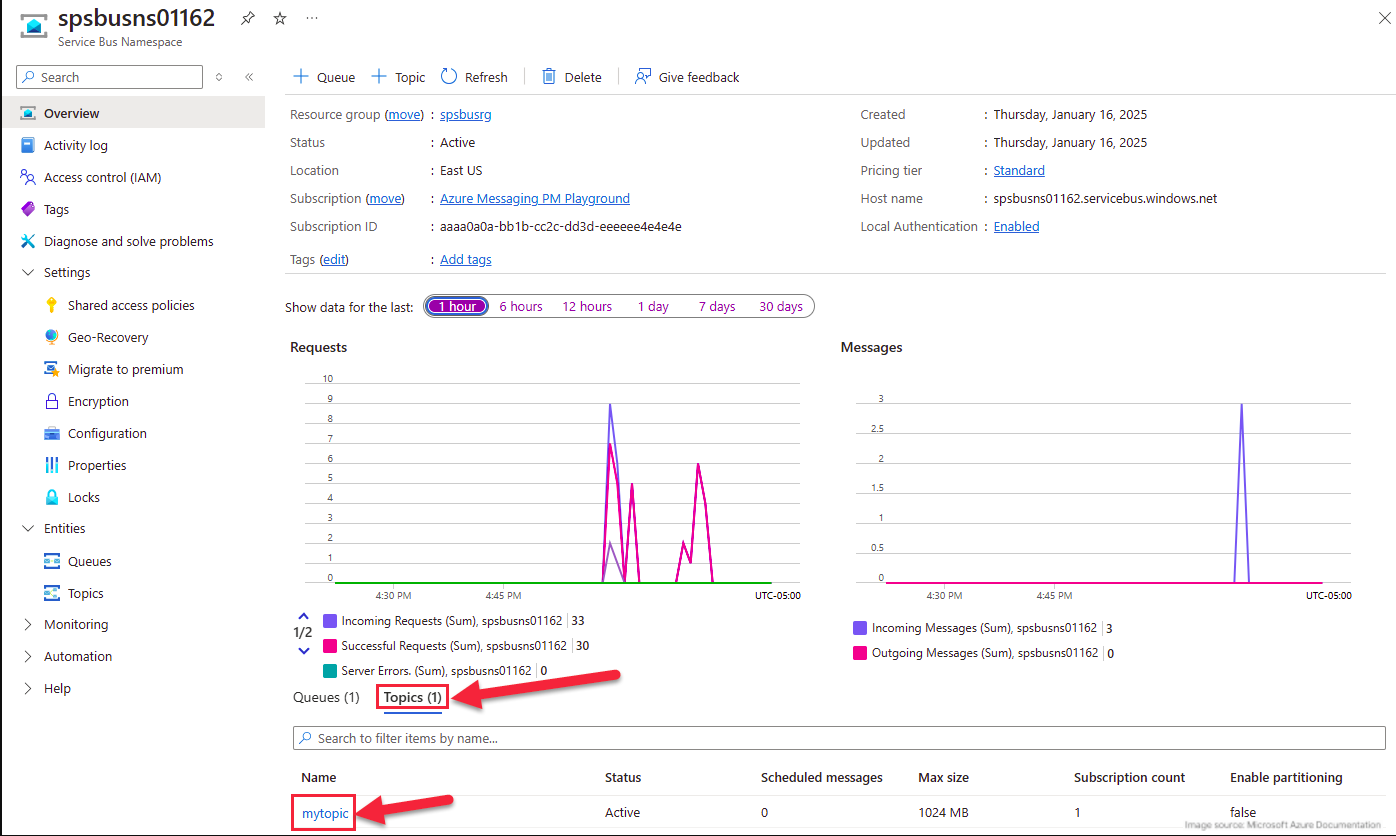
- Azure Service Bus namespace with:
- Topic created
- Topic subscription configured
- Connection string available
Steps
Step 1: Set Up Azure Service Bus
- Action: Create Service Bus namespace, topic, and subscription
- Note: Connection string needed for authentication
Step 2: Create Event Sink Configuration
- Authentication: ServiceAccount credential (Bearer token)
- Action: POST Event Sink with:
- Provider: Azure Service Bus
- Event type: indykite.audit.capture.*
- Filters: Car label, manufacturer="pontiac"
- Connection: Service Bus namespace and topic
- Result: Event Sink active
Step 3: Ingest Matching Nodes
- Authentication: AppAgent credential (X-IK-ClientKey)
- Action: POST Car nodes with manufacturer="pontiac"
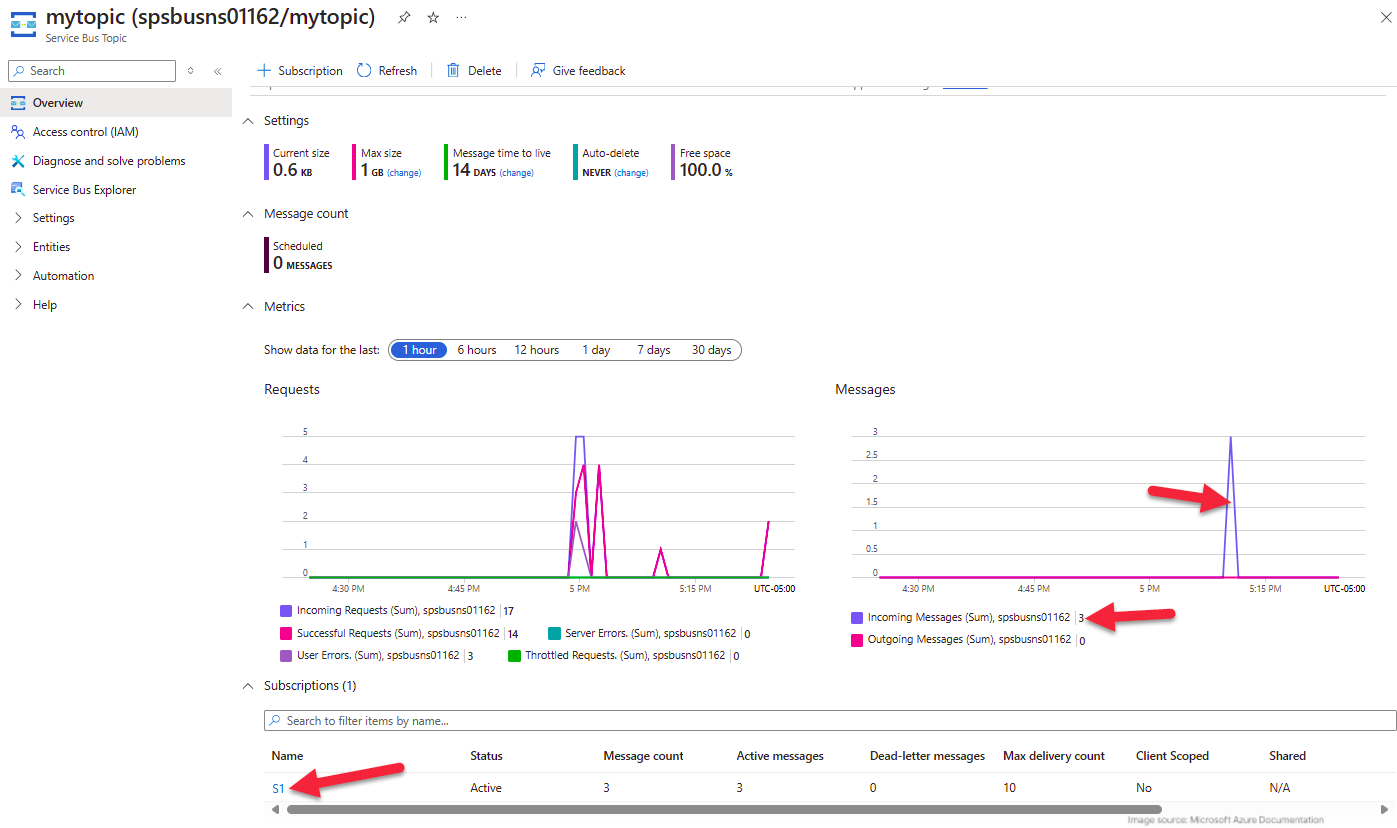
- Result: Messages delivered to Service Bus topic
Step 4-6: Verify Message Delivery
- Add and delete matching nodes
- Check Service Bus for received messages
- Verify non-matching operations don't generate messages
Step 2
Create an EventSink configuration.
{
  "project_id": "your_project_gid",
  "description": "description of eventsink",
  "display_name": "eventsink name",
  "name": "eventsink-name",
  "providers": {
    "provider-with-azure-service-bus": {
      "include_cdc_events": false,
      "azure_service_bus": {
        "queueOrTopicName": "test-queue",
        "connectionString": "Endpoint=sb://ik-test.servicebus.windows.net/;SharedAccessKeyName=RootManageSharedAccessKey;SharedAccessKey=a...."
      }
    }
  },
  "routes": [
    {
      "provider_id": "provider-with-azure-service-bus",
      "event_type_key_values_filter": {
        "context_key_value": [
          {
            "key": "manufacturer",
            "value": "pontiac"
          },
          {
            "key": "captureLabel",
            "value": "Car"
          }
        ],
        "event_type": "indykite.audit.capture.upsert.node"
      },
      "stop_processing": true,
      "display_name": "Configuration Audit Events"
    }
  ]
}
Step 3
Capture the nodes needed for this use case.
{
  "nodes": [
    {
      "external_id": "alice",
      "is_identity": true,
      "type": "Person",
      "properties": [
        {
          "type": "email",
          "value": "alice@email.com"
        },
        {
          "type": "given_name",
          "value": "Alice"
        },
        {
          "type": "last_name",
          "value": "Smith"
        }
      ]
    },
    {
      "external_id": "knightrider",
      "type": "Person",
      "is_identity": true,
      "properties": [
        {
          "type": "email",
          "value": "knightrider@demo.com"
        },
        {
          "type": "name",
          "value": "Michael Knight"
        }
      ]
    },
    {
      "external_id": "satchmo",
      "type": "Person",
      "is_identity": true,
      "properties": [
        {
          "type": "email",
          "value": "satchmo@demo.com"
        },
        {
          "type": "name",
          "value": "Louis Armstrong"
        }
      ]
    },
    {
      "external_id": "karel",
      "type": "Person",
      "is_identity": true,
      "properties": [
        {
          "type": "email",
          "value": "karel@demo.com"
        },
        {
          "type": "name",
          "value": "Karel Plihal"
        }
      ]
    },
    {
      "external_id": "kitt",
      "type": "Car",
      "is_identity": false,
      "properties": [
        {
          "type": "manufacturer",
          "value": "pontiac"
        },
        {
          "type": "model",
          "value": "Firebird"
        }
      ]
    },
    {
      "external_id": "cadillacv16",
      "type": "Car",
      "is_identity": false,
      "properties": [
        {
          "type": "manufacturer",
          "value": "Cadillac"
        },
        {
          "type": "model",
          "value": "V-16"
        }
      ]
    },
    {
      "external_id": "harmonika",
      "type": "Bus",
      "is_identity": false,
      "properties": [
        {
          "type": "manufacturer",
          "value": "Ikarus"
        },
        {
          "type": "model",
          "value": "280"
        }
      ]
    },
    {
      "external_id": "listek",
      "type": "Ticket",
      "is_identity": false
    },
    {
      "external_id": "airbook-xyz",
      "type": "Laptop",
      "is_identity": false
    }
  ]
}
Step 4
Capture the nodes needed for this use case.
{
  "nodes": [
    {
      "external_id": "kitten",
      "type": "Car",
      "is_identity": false,
      "properties": [
        {
          "type": "manufacturer",
          "value": "pontiac"
        },
        {
          "type": "model",
          "value": "Bonneville"
        }
      ]
    },
    {
      "external_id": "kitty",
      "type": "Car",
      "is_identity": false,
      "properties": [
        {
          "type": "manufacturer",
          "value": "pontiac"
        },
        {
          "type": "model",
          "value": "Catalina"
        }
      ]
    }
  ]
}