Azure Service Bus Outbound Events / Signal - Capture
Outbound Events (Signals) push real-time notifications when nodes are captured in your IKG.
This configuration sets up event streaming to Azure Service Bus:
1. Define Azure Service Bus as the event provider.
2. Route all capture events (upsert and delete) matching specific criteria to your topic.
3. Filter events by node label and property values (e.g., Car nodes where manufacturer = "pontiac").
Use case
Scenario: You need to react when specific data is captured or deleted in your IKG.
Each time a node matching your criteria is created, updated, or deleted, an event is sent to your Azure Service Bus topic. This enables:
- Real-time data synchronization with Azure services.
- Triggering Azure Functions, Logic Apps, or other Service Bus consumers.
- Reliable message delivery with Service Bus queuing capabilities.
Note: Only one Outbound Events configuration can be active per project. The wildcard indykite.audit.capture.* matches all capture event types.
Requirements
- ServiceAccount credentials created in the IndyKite Hub for your organization.
- Application Agent credentials for capturing data via the Capture API.
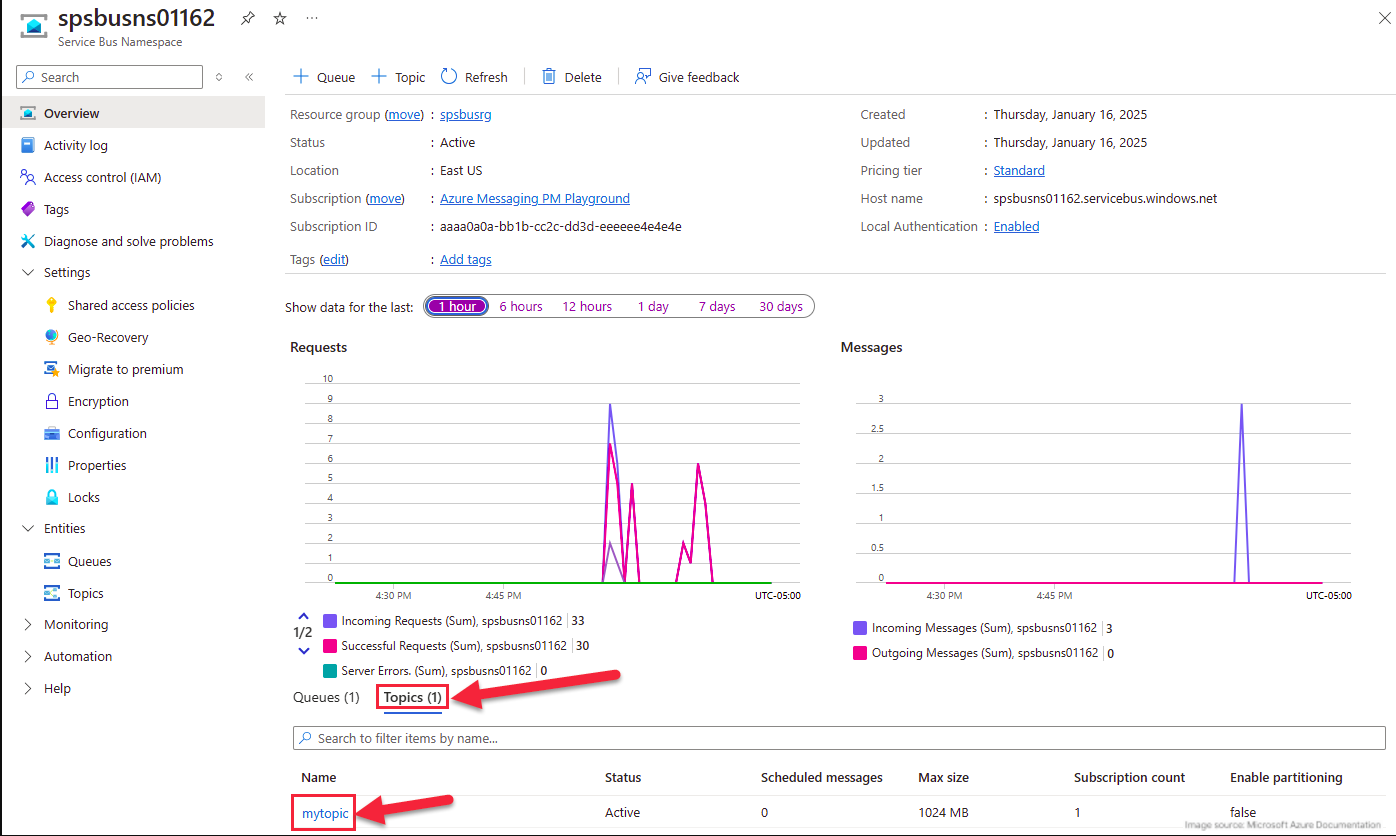
- An Azure Service Bus namespace with a topic and subscription configured.
Steps
1. Ensure your Azure Service Bus topic and subscription are configured.
2. Apply the Terraform configuration with indykite.audit.capture.* eventType.
3. Capture nodes with the Car label and manufacturer property set to "pontiac".
4. Add more nodes matching the same criteria.
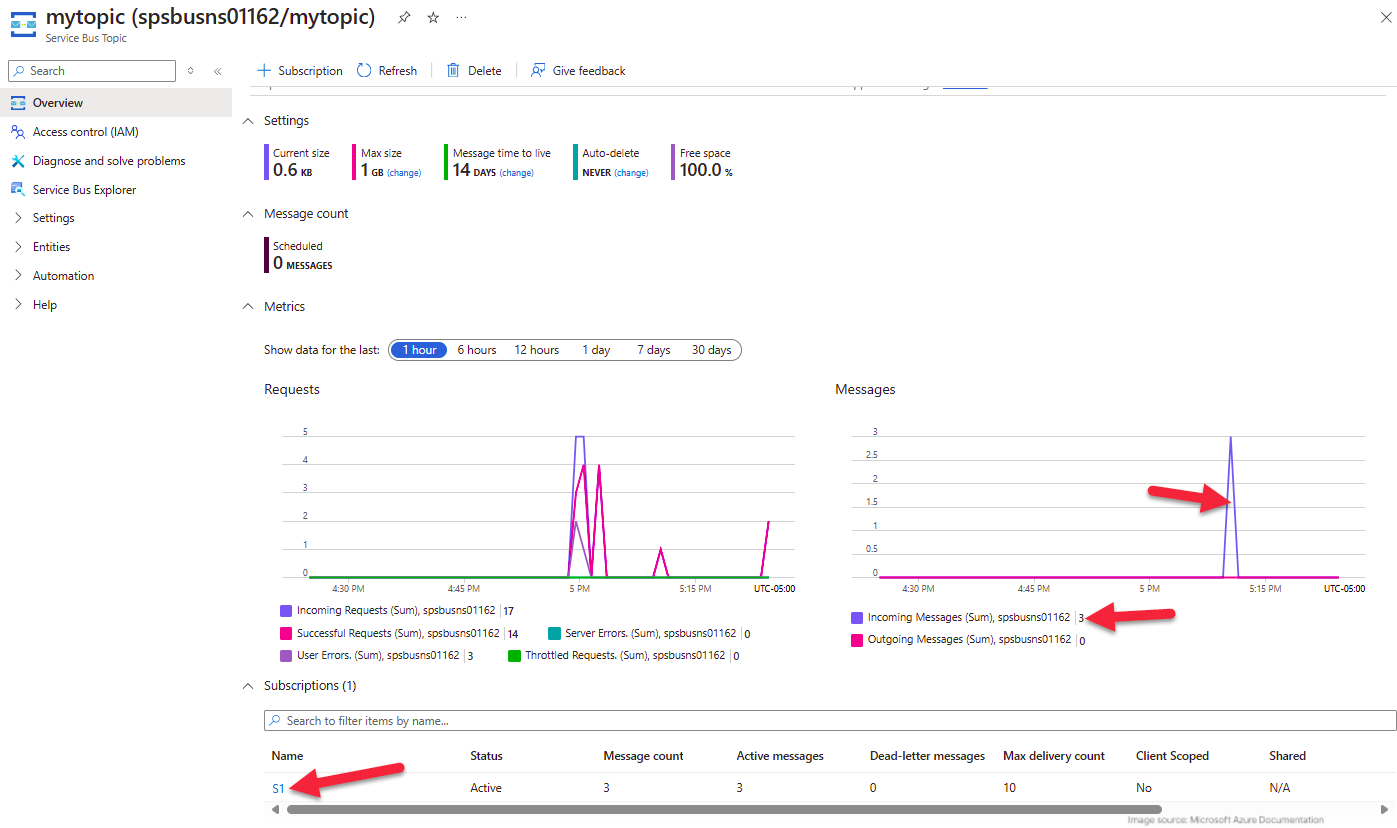
5. Verify that event messages appear in your Azure Service Bus topic.
6. Confirm that non-matching nodes do not trigger events.
Step 2
terraform {
  required_providers {
    indykite = {
      source  = "indykite/indykite"
      version = 1.34. # or latest version
    }
  }
}

# indykite provider integrates IndyKite platform with Terraform scripting.
# Provider for now does not support any parameters and all is set within service account credential file.
provider "indykite" {}
resource "time_static" "example" {}

resource "indykite_event_sink" "outbound_event" {
  name         = "outbound-event"
  display_name = "Outbound Event"
  location     = "project_id"
  providers {
    provider_name      = "provider-name"
    include_cdc_events = false
    azure_service_bus {
      connection_string   = "Endpoint=sb://ik-test.servicebus.windows.net/;SharedAccessKeyName=xxxxx;SharedAccessKey=xxxxxxx"
      queue_or_topic_name = "capture-changes"
    }
  }
  routes {
    provider_id     = "provider-name"
    stop_processing = true
     keys_values_filter {
      key_value_pairs {
        key   = "manufacturer"
        value = "pontiac"
      }
       key_value_pairs {
        key   = "captureLabel"
        value = "Car"
      }
      event_type = "indykite.audit.capture.upsert.node"
    }
    route_display_name = "Configuration Audit Events"
    route_id           = "config-audit-log"
  }
}
Step 3
Capture the nodes needed for this use case.
{
  "nodes": [
    {
      "external_id": "alice",
      "is_identity": true,
      "type": "Person",
      "properties": [
        {
          "type": "email",
          "value": "alice@email.com"
        },
        {
          "type": "given_name",
          "value": "Alice"
        },
        {
          "type": "last_name",
          "value": "Smith"
        }
      ]
    },
    {
      "external_id": "knightrider",
      "type": "Person",
      "is_identity": true,
      "properties": [
        {
          "type": "email",
          "value": "knightrider@demo.com"
        },
        {
          "type": "name",
          "value": "Michael Knight"
        }
      ]
    },
    {
      "external_id": "satchmo",
      "type": "Person",
      "is_identity": true,
      "properties": [
        {
          "type": "email",
          "value": "satchmo@demo.com"
        },
        {
          "type": "name",
          "value": "Louis Armstrong"
        }
      ]
    },
    {
      "external_id": "karel",
      "type": "Person",
      "is_identity": true,
      "properties": [
        {
          "type": "email",
          "value": "karel@demo.com"
        },
        {
          "type": "name",
          "value": "Karel Plihal"
        }
      ]
    },
    {
      "external_id": "kitt",
      "type": "Car",
      "is_identity": false,
      "properties": [
        {
          "type": "manufacturer",
          "value": "pontiac"
        },
        {
          "type": "model",
          "value": "Firebird"
        }
      ]
    },
    {
      "external_id": "cadillacv16",
      "type": "Car",
      "is_identity": false,
      "properties": [
        {
          "type": "manufacturer",
          "value": "Cadillac"
        },
        {
          "type": "model",
          "value": "V-16"
        }
      ]
    },
    {
      "external_id": "harmonika",
      "type": "Bus",
      "is_identity": false,
      "properties": [
        {
          "type": "manufacturer",
          "value": "Ikarus"
        },
        {
          "type": "model",
          "value": "280"
        }
      ]
    },
    {
      "external_id": "listek",
      "type": "Ticket",
      "is_identity": false
    },
    {
      "external_id": "airbook-xyz",
      "type": "Laptop",
      "is_identity": false
    }
  ]
}
Step 4
Capture additional nodes to trigger more events.
{
  "nodes": [
    {
      "external_id": "kitten",
      "type": "Car",
      "is_identity": false,
      "properties": [
        {
          "type": "manufacturer",
          "value": "pontiac"
        },
        {
          "type": "model",
          "value": "Bonneville"
        }
      ]
    },
    {
      "external_id": "kitty",
      "type": "Car",
      "is_identity": false,
      "properties": [
        {
          "type": "manufacturer",
          "value": "pontiac"
        },
        {
          "type": "model",
          "value": "Catalina"
        }
      ]
    }
  ]
}